
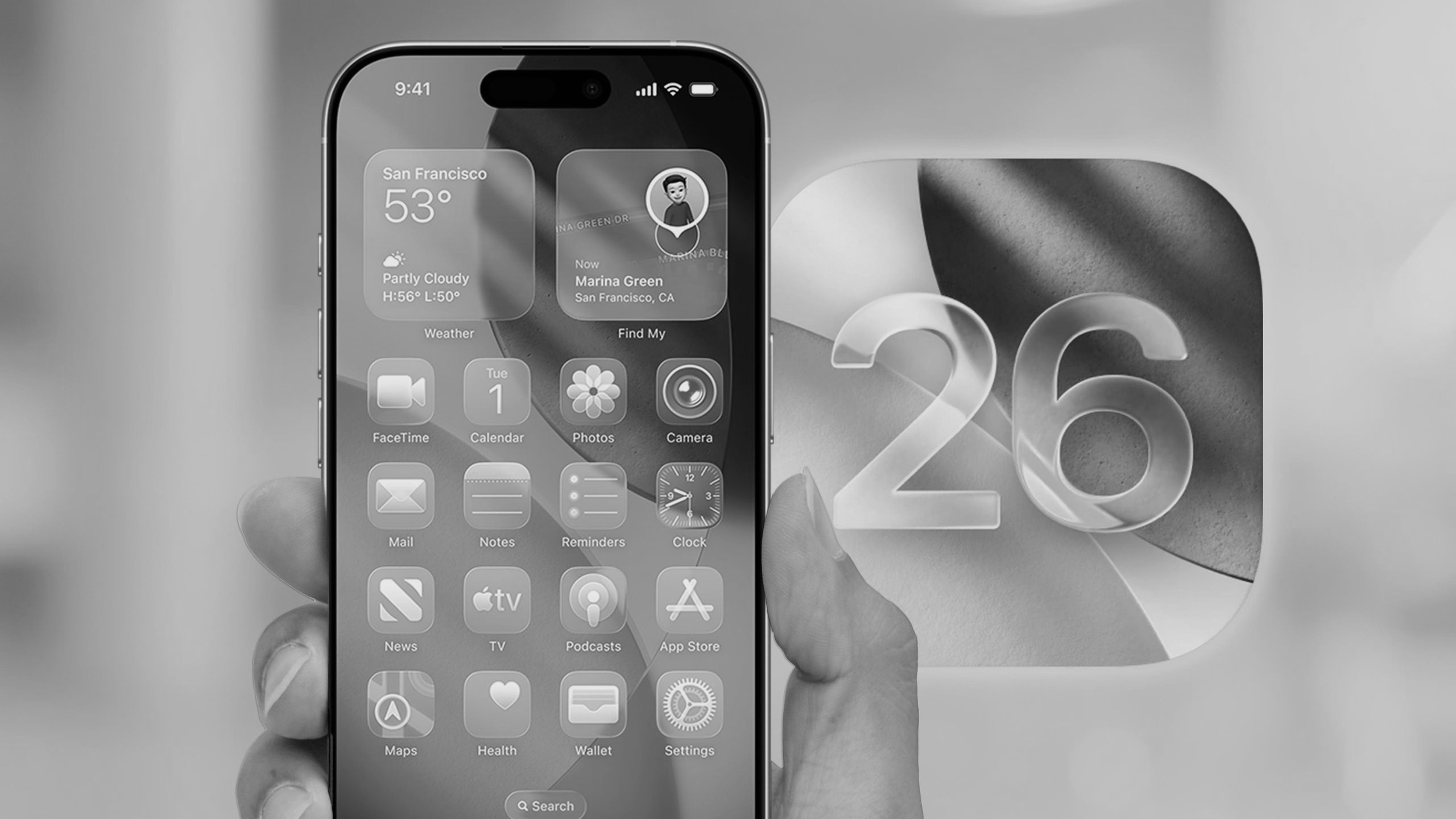
iOS 26.1 : More control, fewer complaints yet still not full customization
Apple’s latest iOS 26.1 update, now available for eligible iPhones, isn’t about big flashy features, it's about refinement. The update fine-tunes the user experience introduced with iOS 26, balancing Apple’s signature design aesthetics with long-requested customization options.
However, while iOS 26.1 delivers several welcome improvements including adjustable transparency in the Liquid Glass interface, gesture customization, and expanded Apple Intelligence language support it’s not without its share of limitations and criticisms.
Fine-* *t* *uning the* *l* *iquid* *g* *lass* *i* *nterface :
The highlight of iOS 26.1 is a long-awaited tweak to Apple’s Liquid Glass interface, the most dramatic design overhaul since the shift to flat design in iOS 7.
Previously, users could only reduce the glossy, translucent effect via Accessibility settings, which turned off the aesthetic entirely. Now, Apple offers a new menu under Settings > Display & Brightness > Liquid Glass, where users can choose between two options:
• Clear : the original, highly translucent style
• Tinted : a more opaque, muted look
Each op tion comes with a live preview, letting users instantly compare and pick the one that suits their visual comfort.
However, this addition isn’t perfect. While many users appreciate the extra control, others argue that the difference between “Clear” and “Tinted” is too subtle, offering only marginal readability improvement. In bright lighting or colorful wallpapers, the background blur can still interfere with text clarity, a recurring complaint since iOS 26’s release.
Design critics also note that Apple still doesn’t allow custom levels of opacity, such as a full slider control. For users seeking finer granularity, the feature feels more like a step forward, not a full solution.
Gesture* *c* *ustomization* *-* *Useful,* *b* *ut* *e* *asy to* *t* *rigger by* *a* *ccident :
Anot her addition is customizable gestures for the lock screen. Users can now choose what happens when they swipe left typically to open the Camera app.
You can set this under Settings > Camera > Lock Screen Swipe to Open Camera, giving users the flexibility to open the app instantly without needing Face ID or navigating the home screen.
However, early adopters report that the gesture can sometime s trigger accidentally, especially when handling the phone in portrait mode or sliding through notifications. This could result in unintended camera launches or missed touches, a minor inconvenience but still a noticeable quirk for power users who prioritize precision.
Local* *v* *ideo* *c* *all* *r* *ecording — A* *u* *seful but* *s* *ensitive* *f* *eature :
iOS 26.1 also intr oduces local audio and video recording during video calls, a tool designed for podcasters, journalists, and creators. This feature allows iPhone users to record both on-screen visuals and local audio, even when away from their main recording setup.
Still, privacy experts are already flagging potential concerns. Although Apple includes automatic recording notifications to alert all participants, the local nature of the recording could lead to confusion over consent in third-party apps. Some apps may not yet fully integrate Apple’s recording alerts, leaving room for inconsistent experiences across platforms.
Apple* *i* *ntelligence* *e* *xpands* *, b* *ut* *r* *emains* *r* *egionally* *l* *imited :
Apple’s on-device AI suite, Apple Intelligence, is also expanding with eight new supported languages, including Chinese (Traditional), Danish, Dutch, Norwegian, Swedish, Portuguese (Portugal), Vietnamese, and Turkish.
Additionally, Live Translation now supports Chinese (Simplified and Traditional), Italian, Japanese, and Korean.
While this marks a big step toward global reach, the feature still remains exclusive to select regions and newer devices. Many users outside North America and Europe still don’t have access to the full suite of Apple Intelligence tools including advanced writing assistance and Siri contextual understanding due to data localization and compliance limitations.
Quality-of-* *l* *ife* *e* *nhancements and* *t* *heir* *t* *rade-offs :
Among smaller refinements, Apple has added:
• Music gesture controls: You can now change tracks using simple swipe gestures. Some users, however, report that these gestures can interfere with scrolling or playback controls within the Music app.
• New alarm slider: A smoother way to dismiss alarms using a slider instead of a tiny button. But it also makes quick snoozing slightly slower for users accustomed to tapping.
• Automatic security updates: A convenient option to auto-install background patches, though privacy-conscious users worry this could reduce manual control over update timing and visibility.
Balancing* *r* *efinement and* *c* *ontrol :
With iOS 26.1, Apple continues its slow but deliberate march toward greater personalization without compromising its minimalist design DNA. The new transparency settings, gesture controls, and AI expansion signal a company increasingly responsive to user feedback.
Yet, the update also underscores Apple’s cautiousness. Instead of full transparency sliders, deeply customizable gestures, or global AI access, users get modest, curated adjustments carefully within Apple’s ecosystem limits.
In short, iOS 26.1 is a refinement release, not a reinvention: one that makes daily iPhone use a little smoother, a little smarter, and a bit more personal, though still not as flexible as some users might wish.